Anda Bot 0.14.1: centralized MCP server management
Anda Bot 0.14.1 adds unified MCP server management, tool approval before calls, event-triggered automations, and a draggable workbench layout, with imports from Claude Desktop, Cursor, and others.

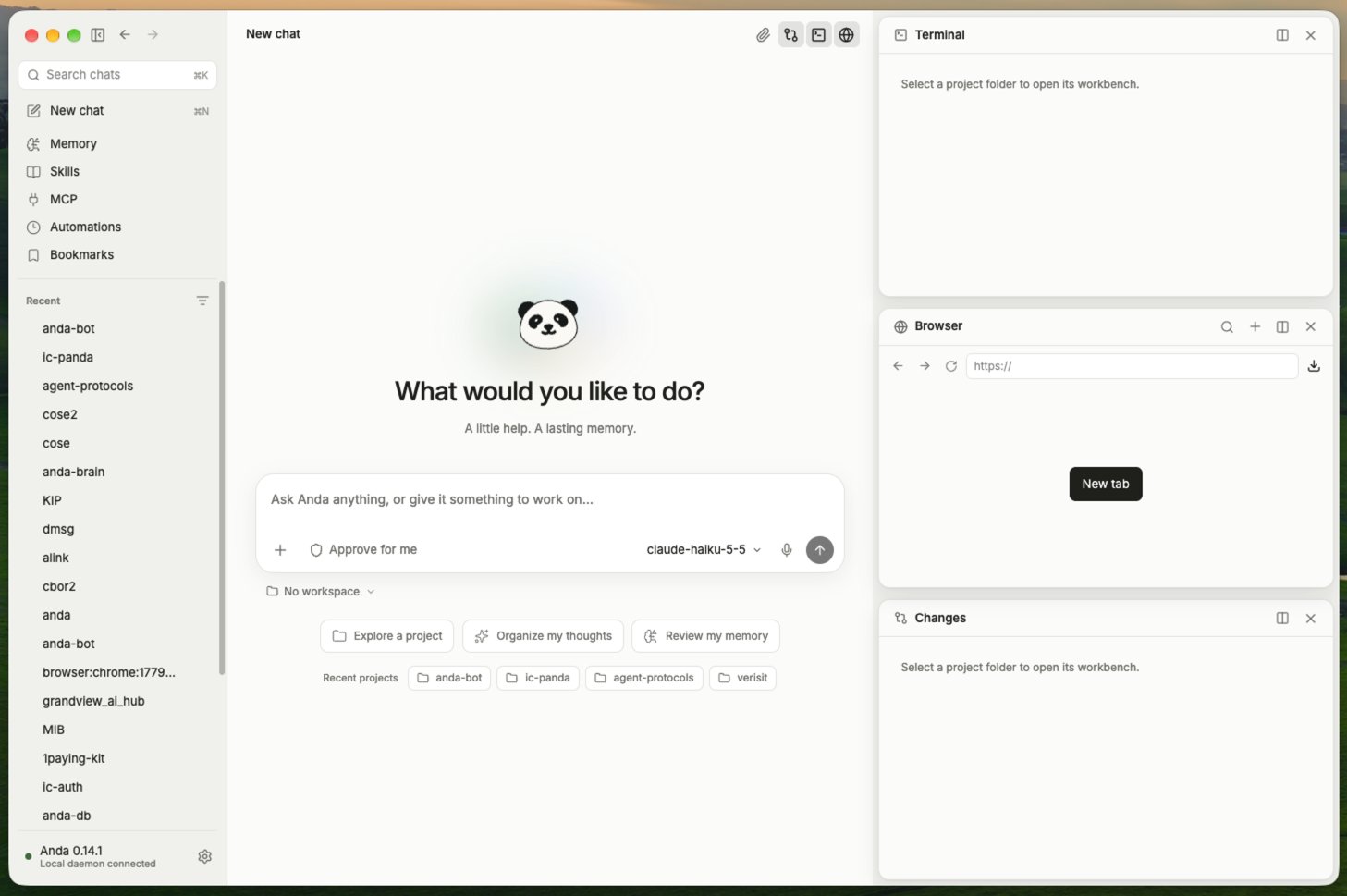
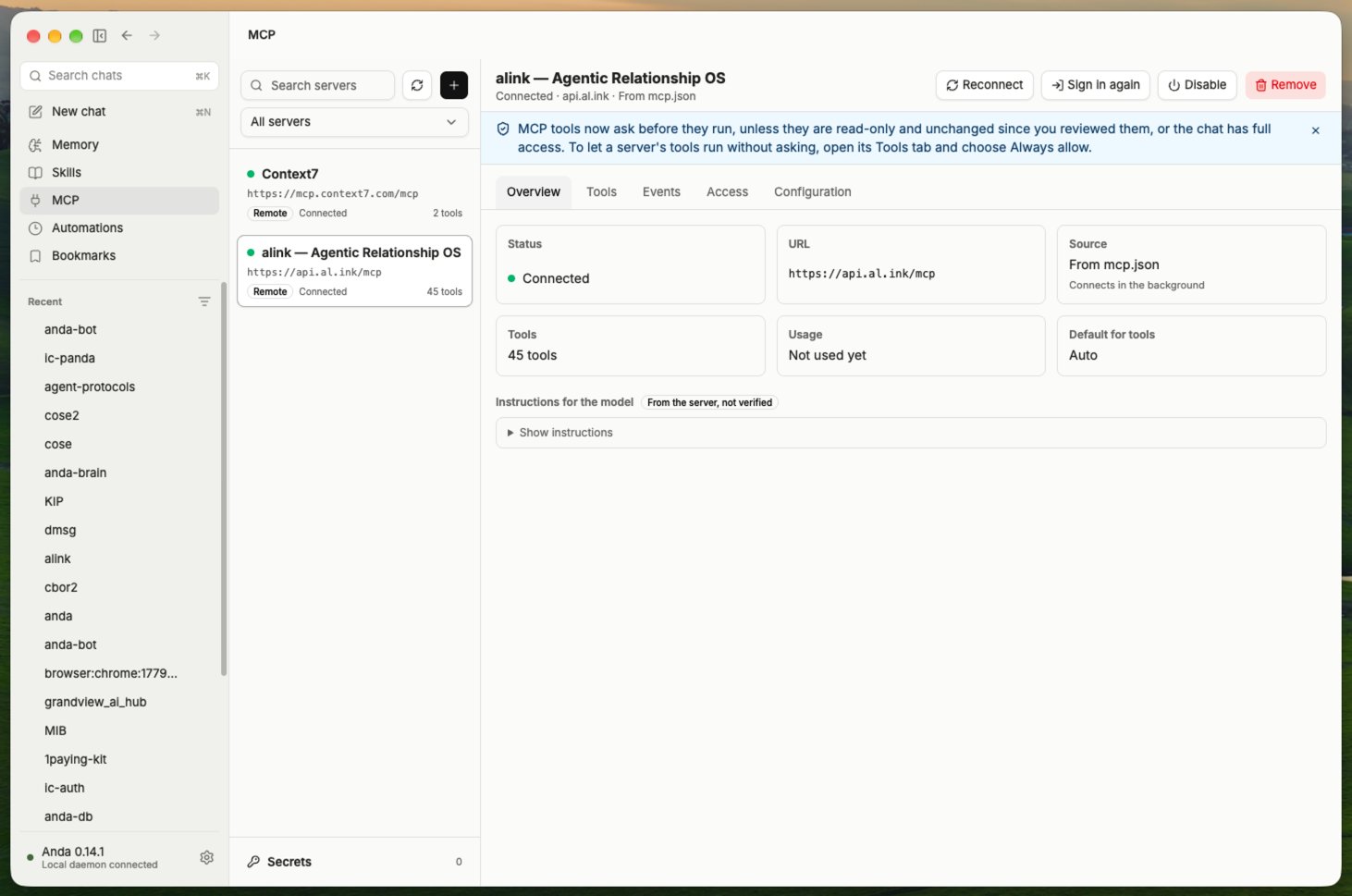
Anda Bot 0.14.1 is out. Since 0.13.5 we've shipped three releases: 0.13.6, 0.14.0, and 0.14.1. The biggest is 0.14.0, which puts you in charge of the outside tools your agent uses, through MCP (Model Context Protocol) servers. Highlights: • Manage MCP servers in one place. Add one by URL, command, or JSON pasted from another app, and test the connection. Import from Claude Desktop, Cursor, VS Code, and others, or install from the MCP Registry. Tokens and keys go to an owner-only secret file, not into mcp.json. It works in Anda Desktop, the Chrome extension, and the anda mcp command. • Tools ask first. Before 0.14.0, MCP tools ran without asking, write tools like filing issues or deleting files included. Now, in a normal chat, a tool the server doesn't mark read-only asks before it runs. "Always allow" trusts that tool while its definition stays the same. If the definition changes, it asks again. • Event automations. Servers that report events, like a new issue or comment, can start an agent run you set up in advance. Event data counts as untrusted, so those runs can't use tools that need approval. • A workbench you can arrange. In Anda Desktop, Resources, Changes, Terminal, and Browser can stay open together on a canvas beside the chat. Drag one to split a pane, swap two panels, or pop it into its own window. Your layout survives restarts. Small touches: a little Anda panda reads along while Anda works, code blocks get a Copy button, and scrollbars are slimmer. Before you upgrade: • MCP calls can be refused. Where nobody can answer an approval card, such as an IM chat, the call is refused. For a server you trust, run: anda mcp approval SERVER allow. External IM users can't use MCP servers unless the server sets allow_external_users. • Windows may warn you. Anda has no publicly trusted Windows certificate yet, so SmartScreen may warn the first time you open an installer from a browser download. If you're on 0.14.0 or earlier, install 0.14.1 manually once to get the in-app update feed. Download: https://anda.bot/#install Full changelog: https://github.com/ldclabs/anda-bot/blob/main/CHANGELOG.md Which MCP server would you connect first? Tell us in the replies.