OpenAI Dots: each agent gets its own cloud computer, explained in 6 steps
Six points explain how OpenAI Dots works: a dedicated cloud computer and browser, access to 4,000+ apps, 24/7 operation, custom rules, and an activity view.

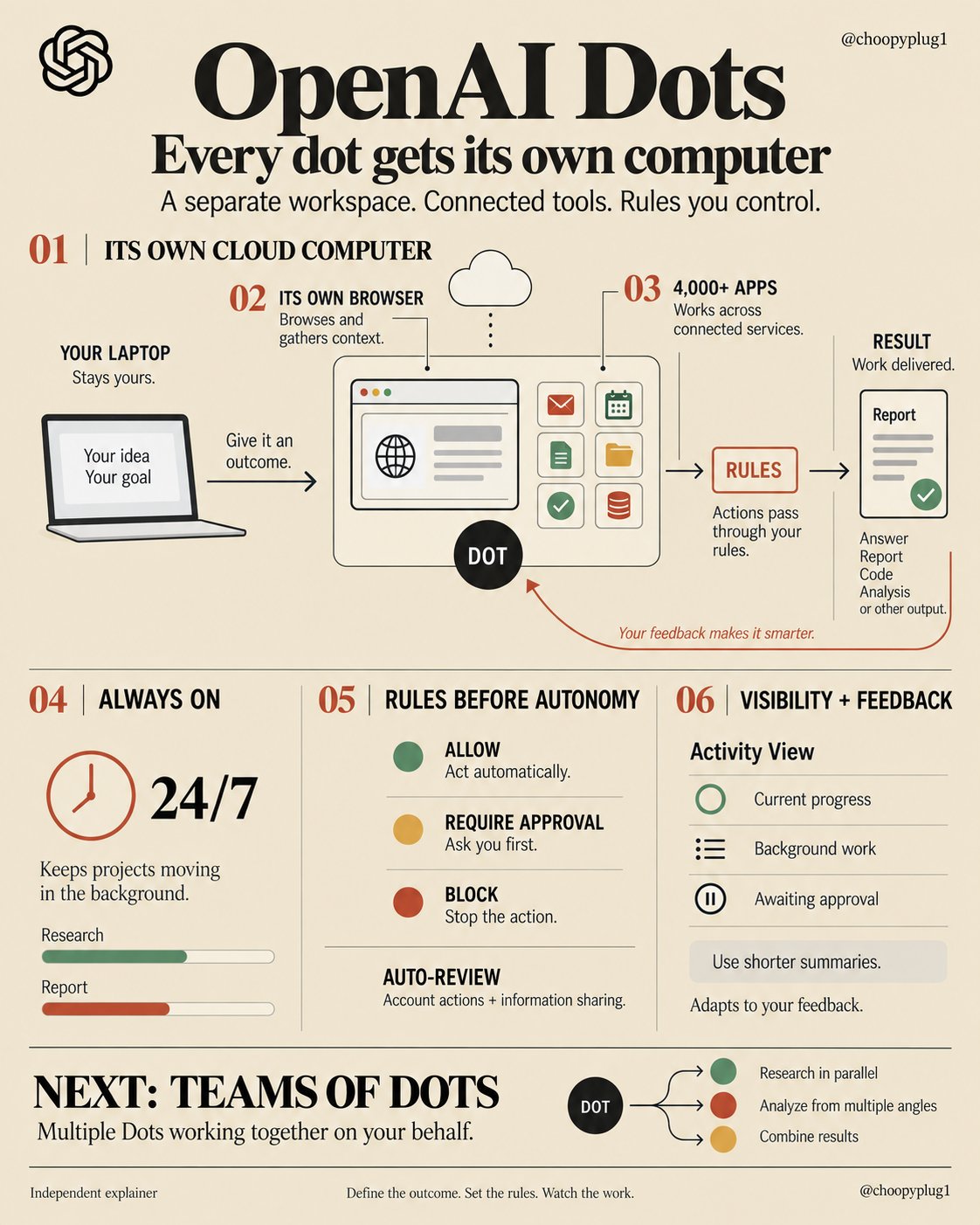
OpenAI Dots don't borrow your computer. every dot gets its own a cloud computer, a browser, 4,000+ apps. running 24/7 here's how Dots actually work in 6 parts: step 1 → its own cloud computer. each dot gets its own machine, browser and connected apps your laptop stays yours. the dot works on its own step 2 → its own browser. the dot browses the web by itself no more copying context from your tabs into a chat window step 3 → 4,000+ apps. a dot works where your work already lives it doesn't wait for you to paste context. it goes and gets it step 4 → always on. Dots run 24/7 and keep a project moving "even while it's working on several others" you stop opening sessions. you hand a dot an outcome step 5 → rules before autonomy. Custom Rules let a dot act, ask for approval, or stop auto-review checks actions that touch your accounts or share information step 6 → visibility + feedback. Activity View shows a dot's progress, background work included and each dot adapts from your feedback next, per OpenAI: "teams of dots working together on your behalf" with Dots, the new skill isn't prompting an agent. it's writing the rules it runs on save this before your first dot goes live ↓
This post quotes another post: x.com/choopyplug1/status/2105030899972841564