GPT Image 2.5 prompt for consistent character intro cards
A prompt that uses a second reference image to lock the layout and a first reference image to lock the character, so GPT Image 2.5 can batch-generate character intro cards in a consistent format.
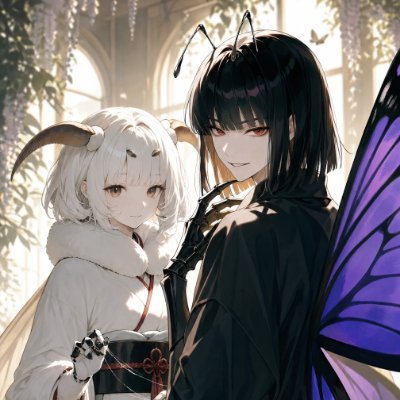
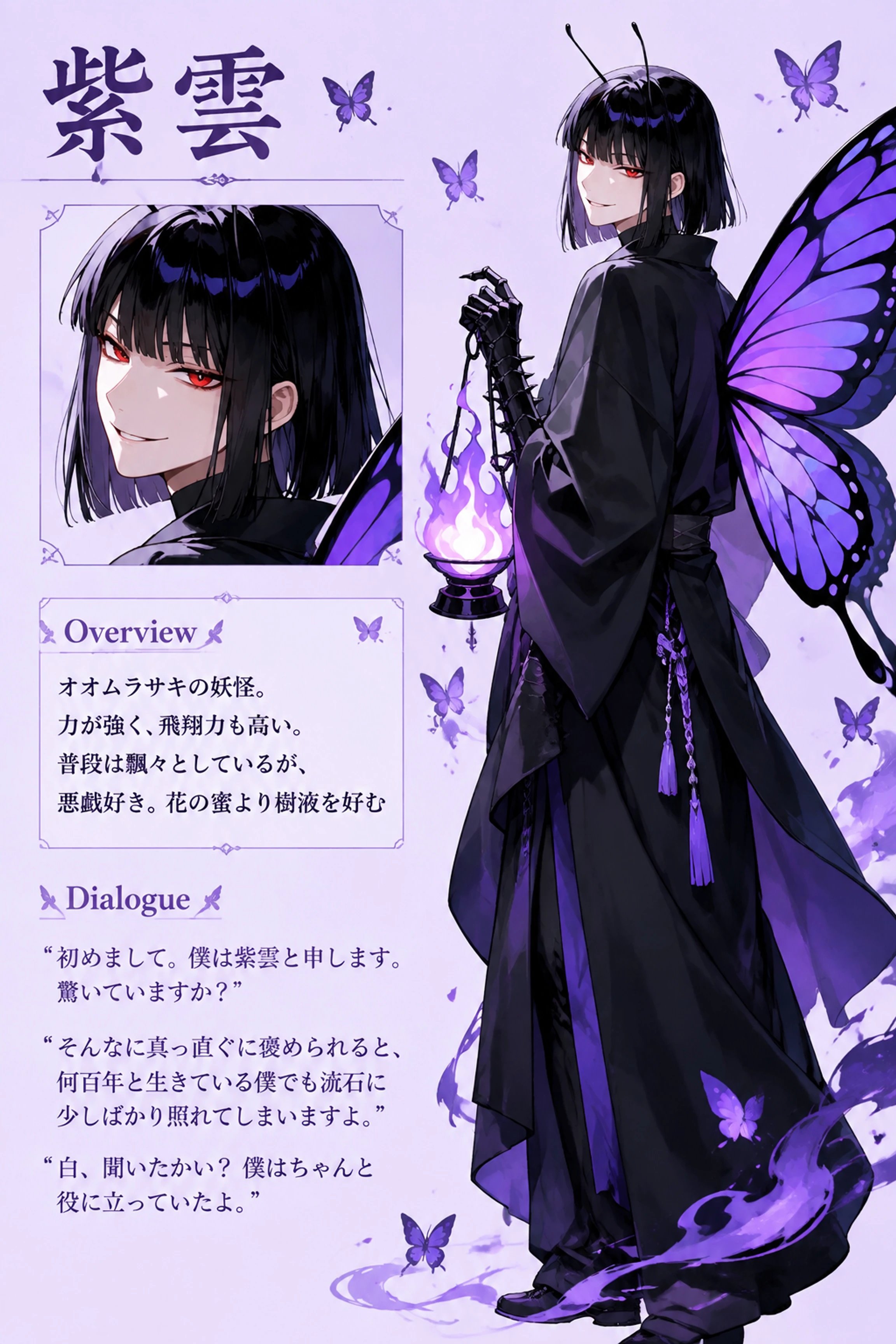
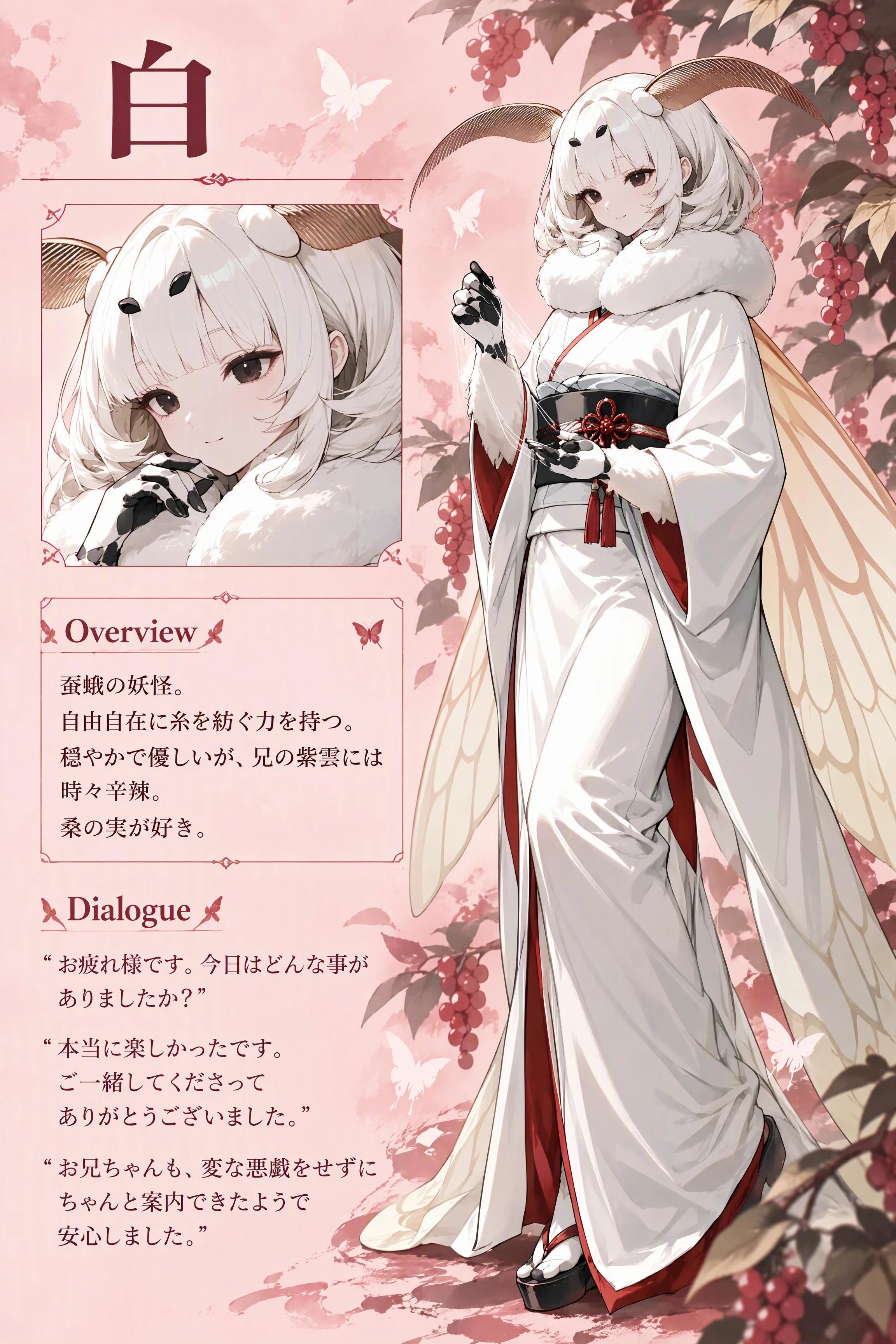
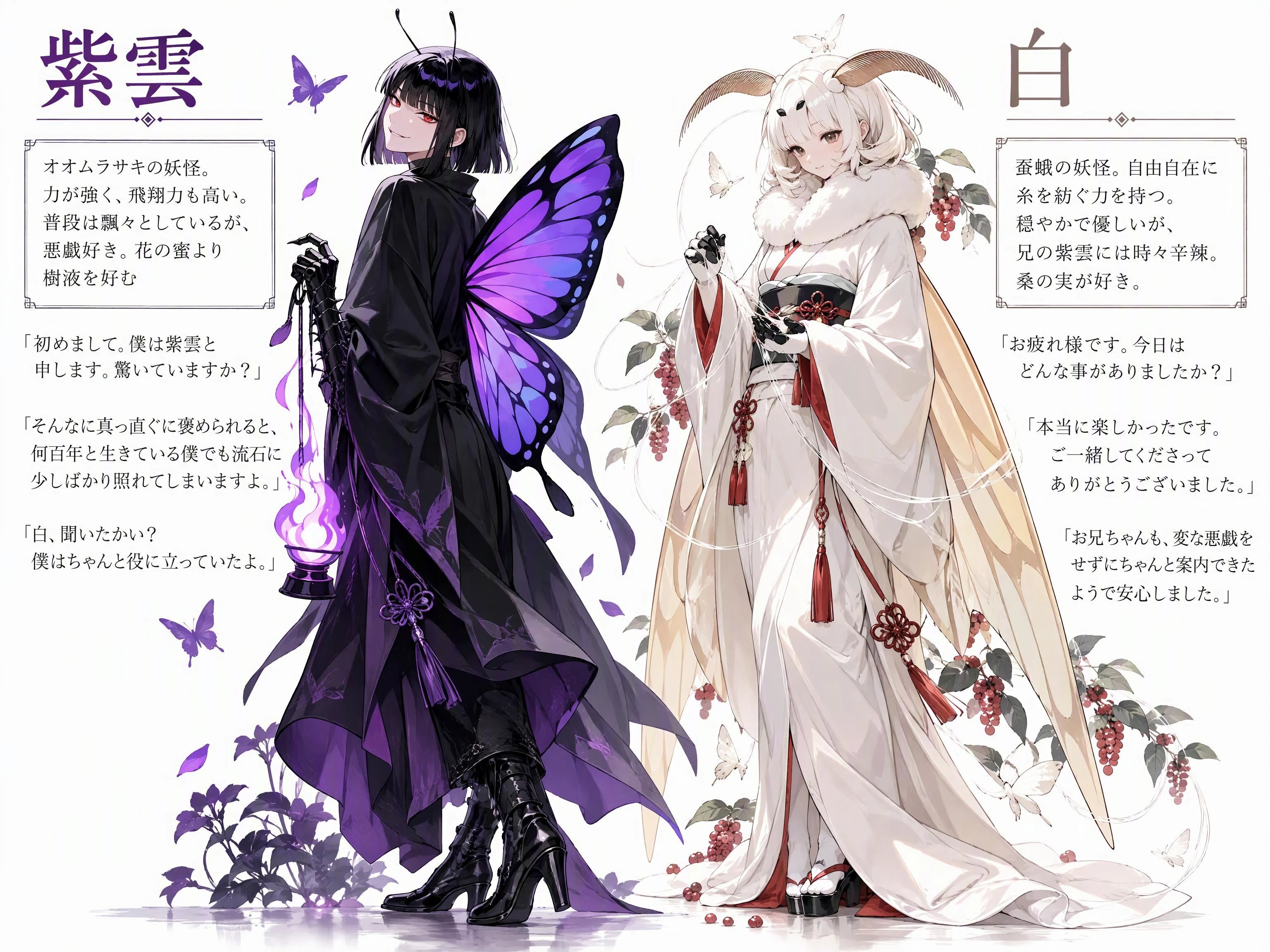
#AIイラスト #説明シートプロンプト 以前のメモの追記 同一フォーマットで揃えたい時は参考画像1にキャラクターイラスト、参考画像2に揃えたいキャラ紹介シートを設定し、フォーマットは参考画像2を参照せよと指示するだけ 紫雲は引用元プロンプト使用、白は下記プロンプト使用、GPT Image 2.5で生成 []内は[背景色]以外日本語で記述 フォーマットを揃えても元イラストの雰囲気に合わせて装飾は違うのが面白い 【プロンプト】 A masterpiece. Top quality. Generate character introduction image. Set the background color to [背景色]. Reference Image 2 as a guide for the format. Draw a standing illustration of the character and include "Name" + "Overview" + "Dialogue." Include only the specified text verbatim; do not include any other text. Write the name in the upper-left corner. Character illustration: Draw the character based on Reference Image 1. Create a natural-looking illustration by flexibly adjusting the angle of the face and posture—while retaining the physical characteristics of the person depicted in the reference image—to the extent that it does not appear unnatural in terms of human anatomy. Name: "[名前]". Overview: Enclose the following overview text in a box. Overview text: "[概要文]". Dialogue: Enclose the following lines 1–3 in quotation marks and place them below the overview. Do not enclose them in a box; write them as is. Line 1:"[台詞]". Line 2:"[台詞]". Line 3:"[台詞]". 画像3のように2人分まとめるのも引用元の応用で出来るけど、こちらはまだ改良の余地があるなぁ というか、紫雲は何故ハイヒール? AIに女の子扱いされた? 【二人まとめたプロンプト】 A masterpiece. Top quality. Generate two character introduction image. Set the background color to [背景色]. Place the introduction for Character 1 on the left and the introduction for Character 2 on the right. Draw each standing illustration of the character and include each "Name" + "Overview" + "Dialogue." Include only the specified text verbatim; do not include any other text. Write the name in the upper-left corner. Create a natural-looking illustration by flexibly adjusting the angle of the face and posture—while retaining the physical characteristics of the person depicted in the reference image—to the extent that it does not appear unnatural in terms of human anatomy. Illustration of Character 1: Draw the character based on Reference Image 1. Name of Character 1: "[人物1の名前]". Overview of Character 1: Enclose the following overview text in a box. Overview text; "[人物1の概要]". Dialogue of Character 1: Enclose the following lines 1–3 in quotation marks and place them below the overview. Do not enclose them in a box; write them as is. Line 1:"[台詞]". Line 2:"[台詞]". Line 3:"[台詞]". Illustration of Character 2: Draw the character based on Reference Image 2. Name of Character 2: "[人物2の名前]". Overview of Character 2: Enclose the following overview text in a box. Overview text;"[人物2の概要]". Dialogue of Character 1: Enclose the following lines 1–3 in quotation marks and place them below the overview. Do not enclose them in a box; write them as is. Line 1:"[台詞]". Line 2:"[台詞]". Line 3:"[台詞]".
This post quotes another post: x.com/kurohachi05/status/2101920053004480771