Trybe ships MCP for querying creator ad spend and content data in AI tools
Creator marketing platform Trybe released an MCP that lets users query ad spend, inactive creators, submission-to-ad conversion and missing tags from AI tools.

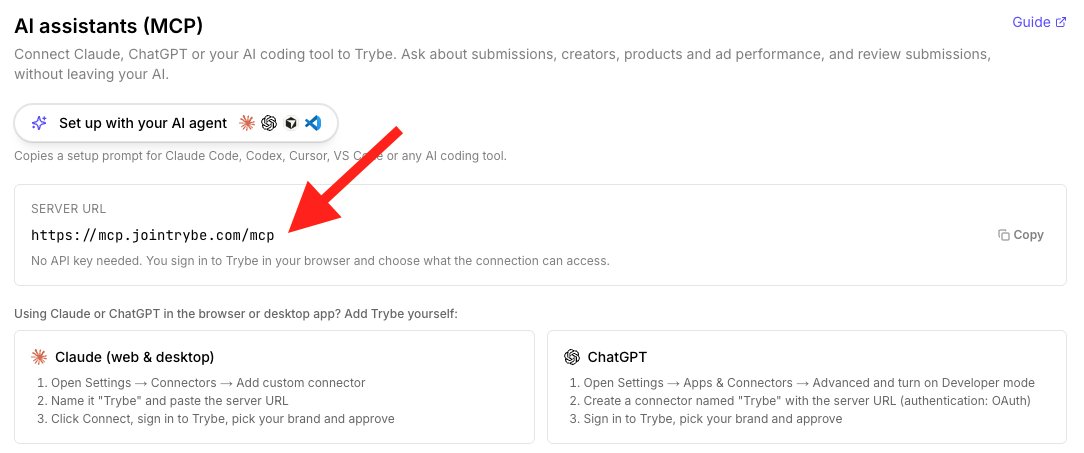
Trybe just shipped their MCP. Here's 10 things I'd use it for immediately. 1. Find out who's actually carrying the programme. Sort your roster by ad spend, not by GMV or submissions. I did this on an account this week. 164 active creators, two of them holding 72% of the spend behind their content. You cannot see that in the UI without a lot of clicking. 2. Spot who's gone quiet. Every creator row carries their last submission date and last ad day. Ask for the roster with zero activity in the last 30 days and you get your re-engagement list in one call. 3. Check your submission to ad conversion rate. New submissions versus submissions that ran in ads, per creator. If someone is producing ten pieces a month and one is going live, that's either a briefing problem or a review problem. Either way you want to know before you renew them. 4. Search what your ads actually say. You can query submissions by words spoken in the video, shown on screen, or written in the creator note. "Which of our creator ads mention the price" is one question now. This is the fastest way to find the angle you half-remember someone nailing six weeks ago. 5. Find your angle gaps. Filter submissions by angle and see what's thin. If you have forty pieces tagged unboxing and three tagged objection handling, that's your next brief written for you. 6. Catch untagged ads. If an ad has spend and zero Trybe GMV, it's usually missing its trybe tag. Ask for creators with ad spend and no attributed conversions and you get a list of broken attribution in seconds. That's real money, because the creator's commission depends on it. 7. Run creative analysis on a submission. There's a tool that returns Trybe's own analysis of a video. Useful when a piece is outperforming and you want to know what to tell the next creator to copy. 8. Audit your approval backlog. Approved submissions that have never run as an ad. I found close to 200 sitting in one account. Approved, paid for, never launched. 9. Split partner-managed from brand-managed creators. If an agency places some of your creators and you source the rest, you can compare the two pools on spend, ROAS and output. 10. Feed the winners straight into next month's briefs. Pull your top creators by purchase value, pull their transcripts, and write the brief from what's already working rather than from what you assume works. This is the one that actually changes output. The thing to understand is that it's read-only until you give it review permission, so you can point it at your account today and nothing gets changed.