ChatGPT-6 Astra vs Claude Fable 5.1: which to use for what
The comparison assigns web tasks and image generation to ChatGPT-6 Astra, heavy document reading and rewriting to Claude Fable 5.1, and suggests running coding projects through both.

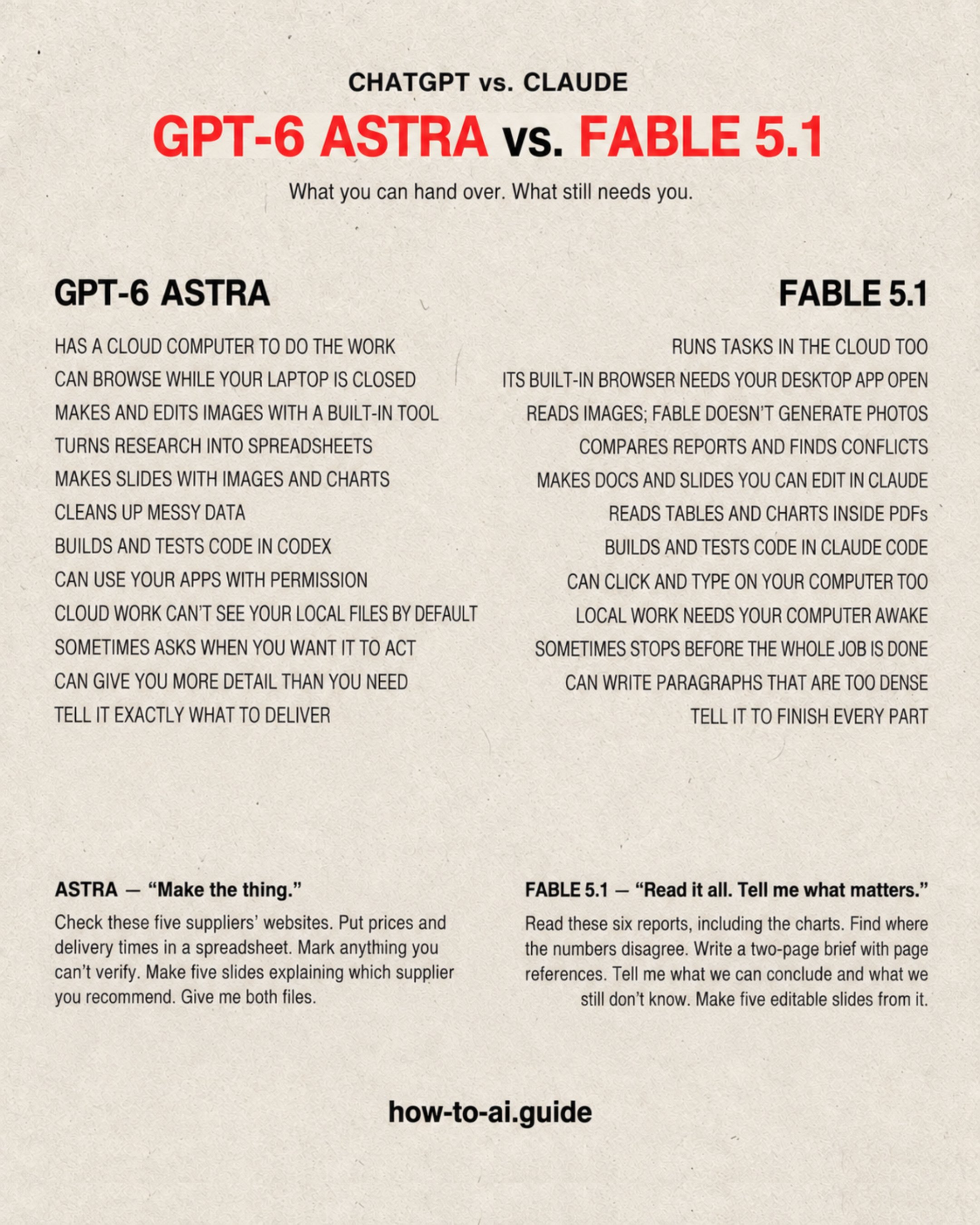
Claude or ChatGPT? Both can research, write, code, and make spreadsheets. Here are the differences to pay attention to: 1. ChatGPT-6-Astra: websites and images. You need to compare five suppliers, put their prices in a spreadsheet, and make a presentation. I’d start with Astra. ChatGPT Work has its own cloud computer and browser. It can open websites and do the work without your laptop staying on. It also has an image-generation tool. Ask it to make the illustrations for your slides in the same chat. One detail: its browser isn’t your browser. It won’t automatically have your saved logins or the files on your desktop. You choose what to share. — 2. Claude Fable 5.1: a lot to read, then something to write. You have six reports, tables buried in huge PDFs, and a presentation tomorrow. Try Fable 5.1 for comparing the reports, finding conflicting numbers, and turning the findings into a brief. Then ask for the slides. Claude’s new Docs and Slides tools let you edit the work inside the conversation. Change a sentence yourself, ask Claude to rewrite a section, and download the presentation as PowerPoint. If you spend your day reading and revising documents, try this on your next report. These tools are still in beta and rolling out. — 3. Yes, Claude can use a computer too. But its built-in browser needs the Claude desktop app open and online. You can close your laptop while Claude does cloud work. If the task needs your local files, browser, or desktop apps, leave the computer awake and the app open. And Fable itself doesn’t generate photos. For that, ChatGPT has a built-in image tool. — So here’s where we’d start: • Web tasks & generated images: ChatGPT Astra. • Heavy document work: Claude Fable 5.1. • Coding: give both a task from your own project. Both can do much of the same work. These are starting points, not rules. Bonus prompting tip: tell either one what you want back. “Read these reports” doesn’t say what you need. Try: “Read these reports, explain where they disagree, and give me five slides with page references.” Now it knows what to deliver. I wrote a guide on how to prompt both models: http://chatgpt.rubenhassid.ai Pro tip: For my day-to-day work, I care less about which model I’m using and more about what it knows about my business. If I want help with sponsorship pricing, I need to give it my audience data, current packages, and past campaign results. If I want a newsletter that sounds like me, I need to share my own writing, the interview transcript, and who I’m writing for. • “Help me grow my business” gives AI very little to work with. • “Here’s what we sell, here’s what’s working, and here’s where I’m stuck” gives it something useful. Before switching models, ask yourself: have I actually given this one the information it needs?
This post quotes another post: x.com/rubenhassid/status/2096841587313787149