Four prompt tricks to make AI images look less like AI
AI images look fake because they are too perfect, so the author suggests specifying the photo source, an ordinary person, a candid moment and keeping imperfections, with full prompts included.
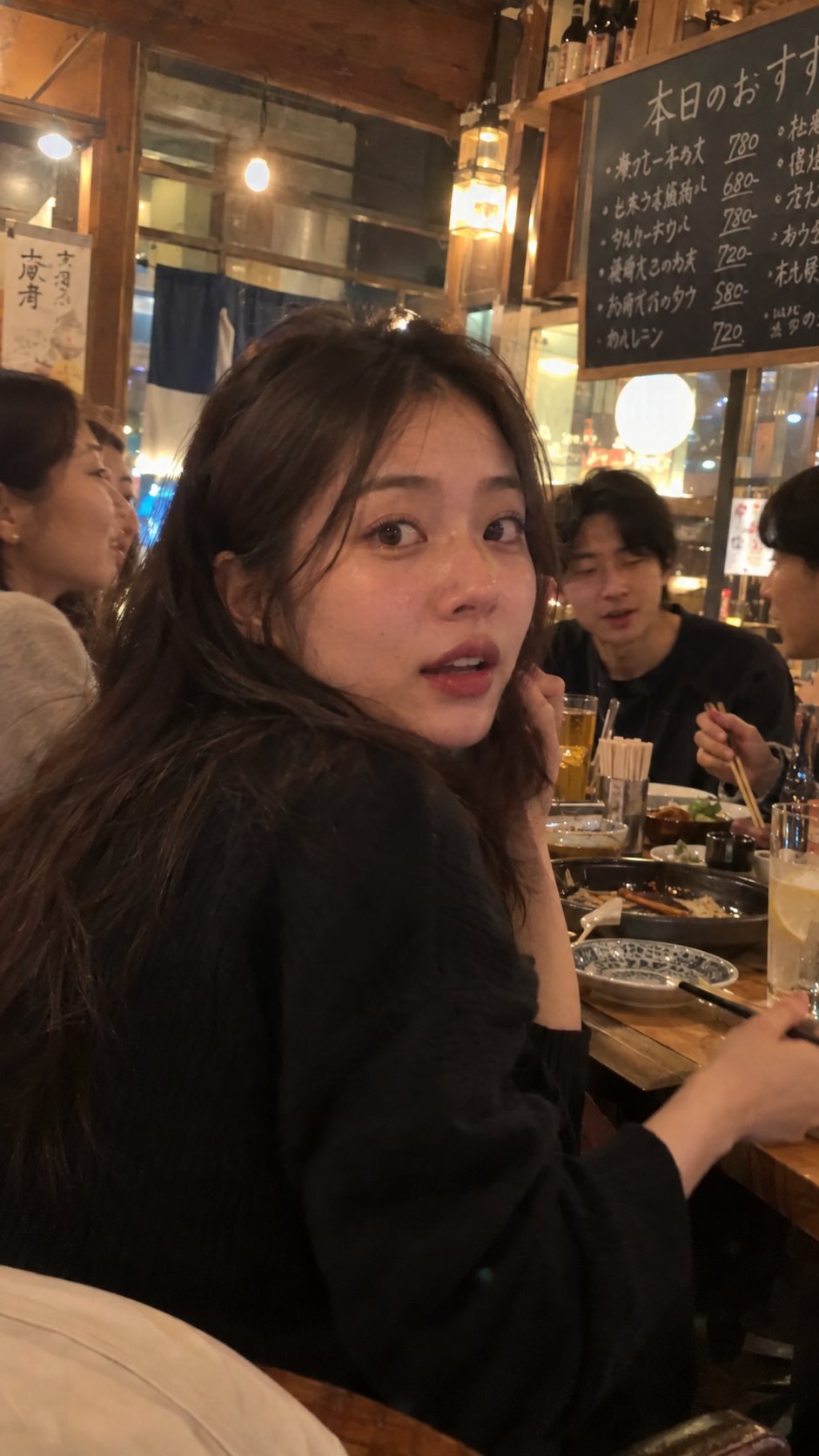
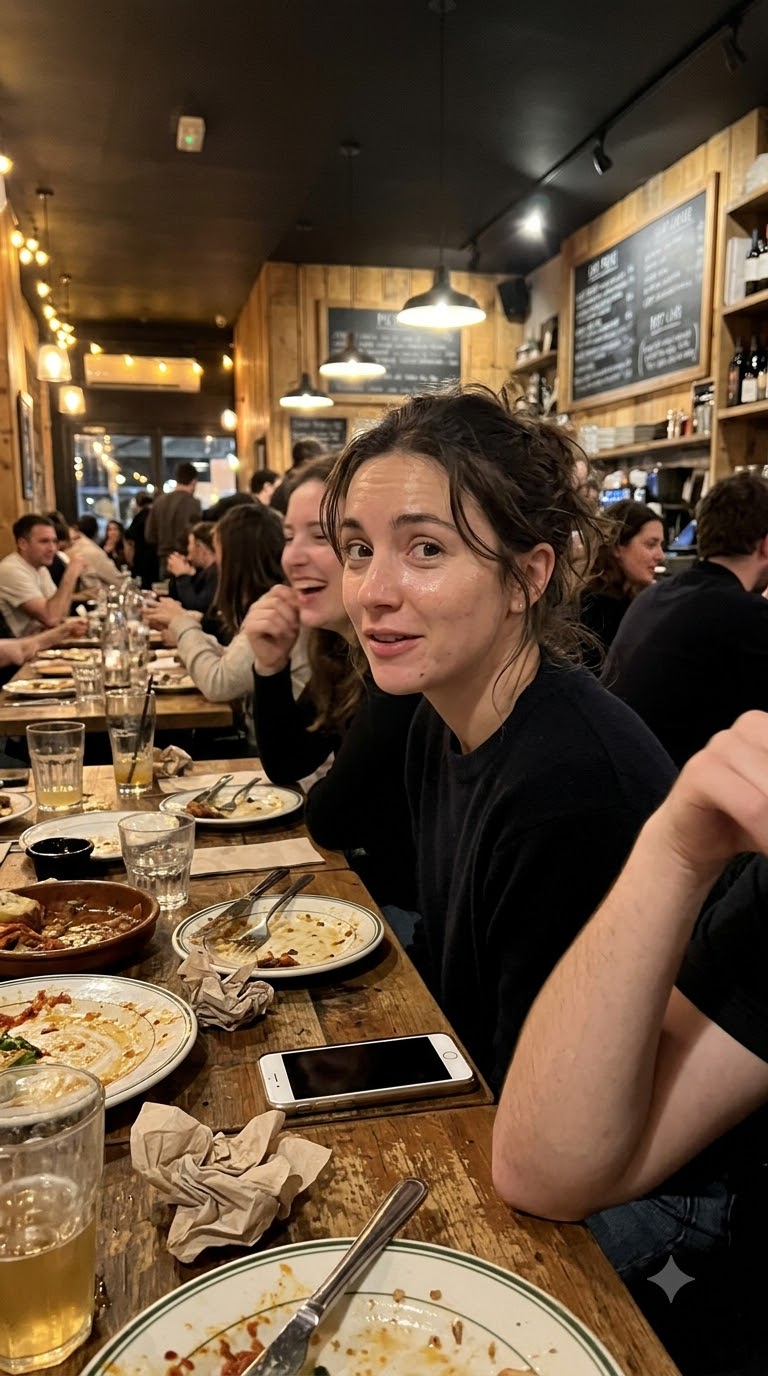
STOP asking AI to make your images look more realistic. you're literally making the same mistake again and again. AI images look fake because everything is TOO PERFECT. → perfect skin. → perfect lighting. → perfect poses. → perfect backgrounds. that's not how normal people take photos. and if you're creating images for tiktok, reels, or youtube shorts, this one mistake can make your entire video look like AI slop. here's a ridiculously SIMPLE trick i use to make AI images look like real smartphone photos. you only need 4 things. 1. choose the kind of photo. don't just say "photorealistic image." tell AI where the photo came from. for example: → a random tiktok video frame → an instagram story screenshot → a casual photo taken by a friend → a blurry late-night restaurant photo → an everyday street snapshot 2. describe a normal person, not a supermodel. not someone with flawless skin. just an ordinary woman in her 20s with natural features, everyday clothes, and a relaxed expression. 3. create a moment, NOT a pose. this is the BIG SECRET. instead of making your subject pose for the camera, give them something natural to do. for example: a woman is enjoying dinner with her friends at a small restaurant. someone suddenly points a phone at her. she turns around, slightly surprised, without fixing her hair or preparing for the photo. that's the kind of moment we want. 4. add real-life imperfections. tell AI to keep the lighting uneven, the framing casual, and the skin natural. even a little camera blur can make the image feel less staged. now copy this prompt: image prompt: "generate a highly realistic candid photo that looks like it was taken by a friend using a normal smartphone. the subject is a woman in her 20s sitting at a small restaurant at night with her friends. the photo captures the exact moment she notices the camera and casually turns her head toward it. she has a natural expression with a slight look of surprise. her face is clearly visible. the restaurant has warm yellow lights, wooden furniture, food plates, drinks, and menu boards in the background. the image should look like a real frame taken from someone's instagram reel or tiktok video. include natural skin pores, tiny facial imperfections, realistic hair, slightly uneven exposure, subtle motion blur, and imperfect camera framing. make it feel spontaneous, ordinary, and completely unstaged. avoid the look of a professional photoshoot or a polished commercial. negative: artificial skin, plastic face, 3d, cgi, illustration, cartoon, anime, beauty retouching, excessive glow, perfect lighting, unnatural eyes, strange hands, forced smile, overly symmetrical face, cinematic lighting, heavy background blur, over-sharpening, studio portrait, unrealistic environment." and here's one more thing. stop adding words like "masterpiece," "perfect lighting," and "flawless beauty" to every prompt. those words can push your images toward that polished AI look you're trying to AVOID. you're not trying to make a perfect image. you're trying to make a BELIEVABLE image. that's a MASSIVE difference. left: OpenAI gpt images 2.5 right: google's nano banana 2.1
This post quotes another post: x.com/viralops_/status/2107538470818484305