GPT Image 2.5 GIF settings: 1:1 canvas, 16 frames, 12fps
After testing API sprite sheets at max + 4K and having Codex split frames into a GIF, the author recommends a 1:1 canvas, 16 frames and 12fps, with pixel counts for 3x3 to 5x5 grids.

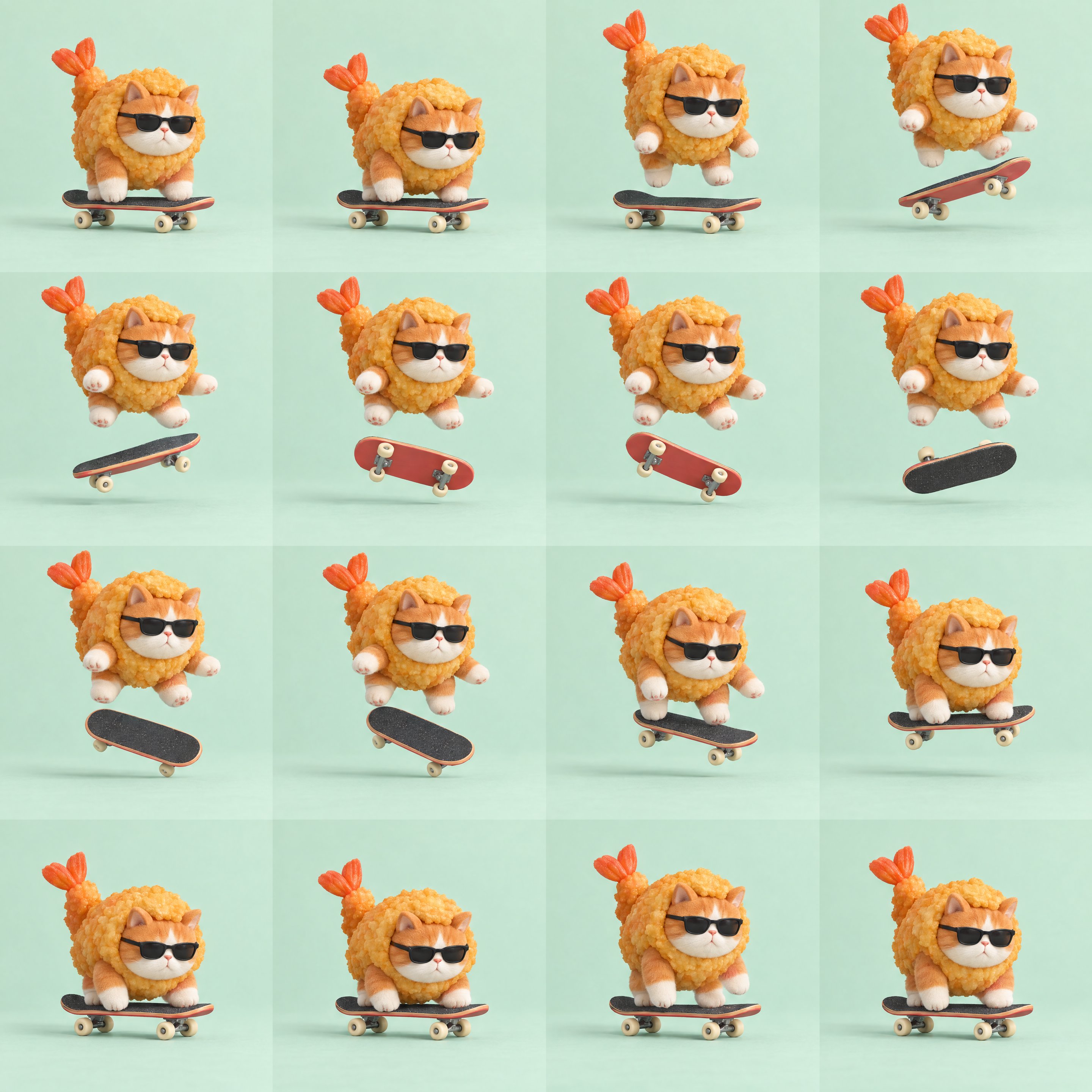
I’ve seen quite a few ChatGPT Image 2.5 GIF workflows and run a few tests myself. My favorite combination so far is a 1:1 canvas, 16 frames, and playback at 12fps. For this one, I used the API with max + 4K to generate a sprite sheet of a cat in a fried-shrimp costume doing a skateboard flip. Then I gave the image to Codex to split into frames and assemble the GIF. The details came out noticeably clearer than the earlier versions I generated with Codex’s built-in imagegen tool. Here’s a simple example using my 2880×2880 source image: → 3×3 grid, 9 frames: 960×960 per frame → 4×4 grid, 16 frames: 720×720 per frame → 5×5 grid, 25 frames: 576×576 per frame The more frames you pack in, the fewer pixels each frame gets. That includes the background, too. A small character with lots of empty space around it leaves fewer pixels for the details. The same 16 frames play in one second at 16fps. I ended up exporting at 12fps, with the GIF lasting about 1.33 seconds. The motion felt less rushed. Good-looking individual frames don’t always make a smooth animation. Once it’s playing, you can still spot inconsistencies in the board’s rotation and wheel positions. There’s still a bit of luck involved, haha. Prompt in the first reply. Paste it into a Codex session that can generate images, swap out the character and action, and give it a try 👇