Building a ChatGPT plugin from one product feature with Claude Code
The author used Claude Code and OpenAI's Apps SDK docs to ship an MCP server that returns copyable prompts as a card inside ChatGPT, and shares the full build steps and prompt.

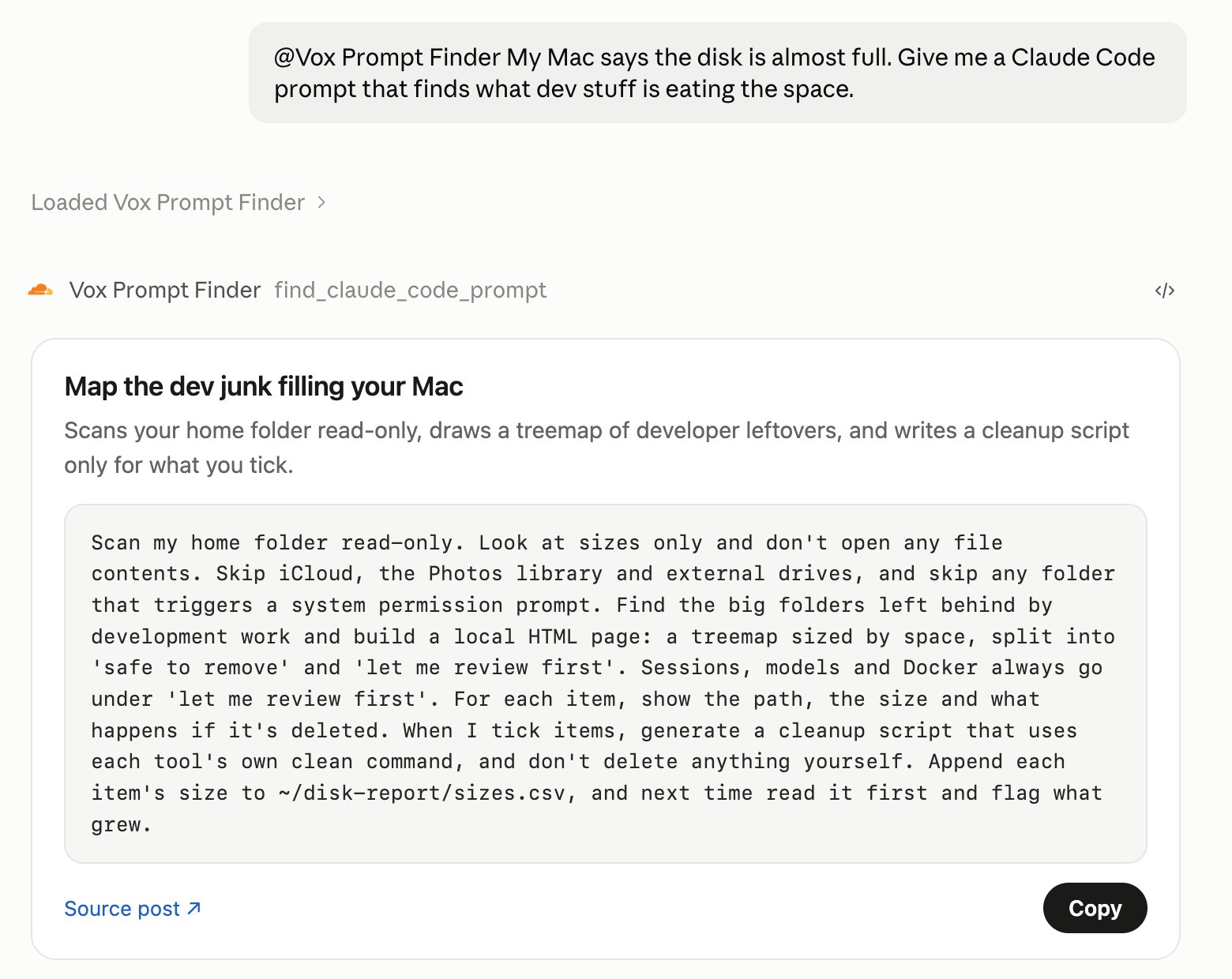
Turn one feature of your product that people already pay for 𝗶𝗻𝘁𝗼 𝗮 𝗖𝗵𝗮𝘁𝗚𝗣𝗧 𝗽𝗹𝘂𝗴𝗶𝗻, and users can use it right inside their ChatGPT chats. I had Claude Code build one following OpenAI's official docs. Tell ChatGPT what you're trying to do, and it pulls the matching Claude Code prompt from my posts and hands it to you on a card with a copy button. → The whole plugin is one MCP server on /mcp. The official quickstart installs the MCP SDK, its ext-apps helpers and zod → Start with a single tool. Its name, title and description should say when to use it and what input it needs. The model reads those lines to decide whether to call you, and OpenAI has a whole guide on it (Optimize Metadata) → Register the card with registerAppResource as a ui:// resource, and ChatGPT shows it right in the chat → Before you connect it to ChatGPT, run tools/list and tools/call through MCP Inspector. For me, Inspector 𝗱𝗶𝗱𝗻'𝘁 𝗳𝗹𝗮𝗴 𝗮 𝘀𝗶𝗻𝗴𝗹𝗲 𝗲𝗿𝗿𝗼𝗿 → Open a temporary HTTPS URL with cloudflared, then in ChatGPT's Plugins click +, choose Add custom MCP server and paste https://your-url/mcp → If you need sign-in, connect OAuth to the accounts you already have, following the MCP auth docs → To get listed, have a privacy policy URL ready, serve the verification token as plain text at /.well-known/openai-apps-challenge, and prepare positive and negative test cases Send this to Claude Code and you can have your own plugin running in ChatGPT and Claude Code today 👇 "Following https://developers.openai.com/apps-sdk/quickstart, create a chatgpt-plugin folder in my repo and turn <one feature> of my product into a ChatGPT plugin. Install the MCP SDK, ext-apps and zod packages the quickstart uses, and serve it on /mcp with McpServer plus StreamableHTTPServerTransport. Register one tool with registerAppTool, with a name and description that say when to use it and what input it needs, and mark it readOnlyHint if it only reads. Add a ui:// card with registerAppResource to show the result. Pull the data from my existing API or code, or use sample data if you can't. Get tools/list and tools/call passing in MCP Inspector first, then open a temporary HTTPS tunnel with cloudflared, keep the server and tunnel running, and give me the full https://…/mcp URL plus the one-line claude mcp add command that connects it to Claude Code. Don't touch my keys and don't submit anything for review."