RustGIS v0.2.0 发布,新增 MCP 服务器
纯 Rust 开源 GIS 工具更新:支持 GeoPackage、DuckDB SQL 等格式,并加 MCP 服务器让 Claude Code、Cursor 等 agent 直接生成地图。

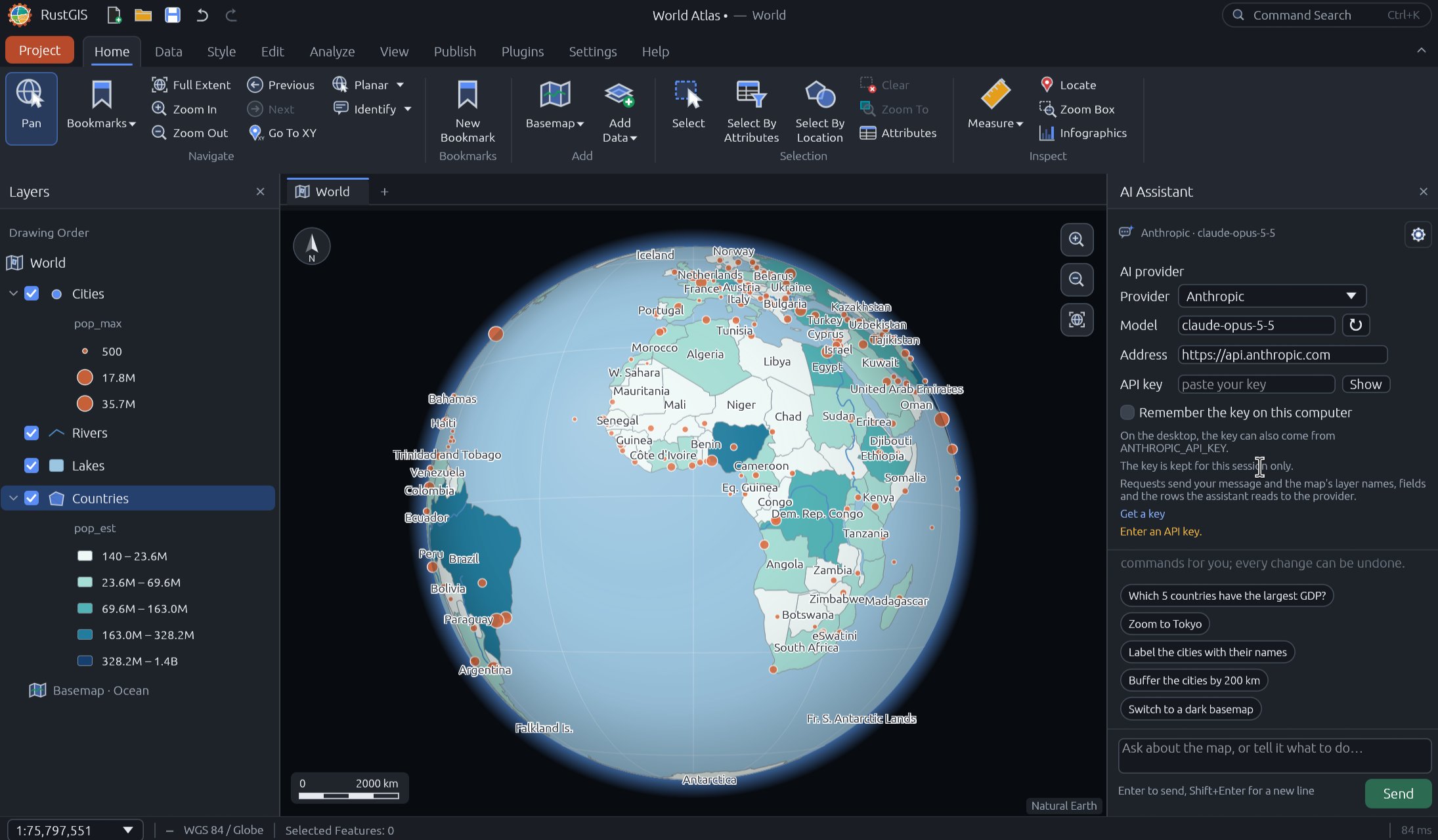
RustGIS v0.2.0 is here! RustGIS is a fast, free and open-source GIS in pure Rust for mapping, analyzing and sharing geospatial data. It runs natively on Windows, macOS and Linux, and in your web browser. Your data stays on your machine unless you send it to an AI model you choose, and every action is a command you can script. This release opens far more of your data, even in the browser, adds an MCP server so AI agents can make maps, and reorganises the ribbon around how you work. What's new in v0.2.0 - More data formats: GeoPackage, GeoParquet, FlatGeobuf, KML/KMZ, GPX, zipped Shapefiles and PMTiles open natively, large files stream a view at a time, and all of them work in the web app too. - Export anywhere: save layers as GeoPackage, GeoParquet, Shapefile or KMZ. - SQL with DuckDB: run SQL queries and open DuckDB databases through DuckDB Spatial, and read File Geodatabase, DXF and more through GDAL. - MCP server: AI agents like Claude Code, Cursor and VS Code can drive RustGIS and make maps with rustgis-cli mcp. - A ribbon in the order of the work: Home, Data, Style, Edit, Analyze, View and Publish, translated into all 15 interface languages. - Easy to install and keep current: Homebrew, the AUR, Fedora COPR and winget, plus Check for Updates in the Help tab. Try it out - Launch the web app: https://web.rustgis.app - Download: https://downloads.rustgis.app - Documentation: https://rustgis.app - GitHub: https://github.com/opengeos/RustGIS - Release notes: https://github.com/opengeos/RustGIS/releases/tag/v0.2.0 #GIS #Rust #OpenSource #Geospatial #RustGIS