Sitechecker MCP:SEO 与流量数据接入 AI 助手
官方 MCP 上线,把 GSC、GA、排名和 AI 可见性数据预计算后交给 AI,避免直连时的数据缺失与错误汇总。

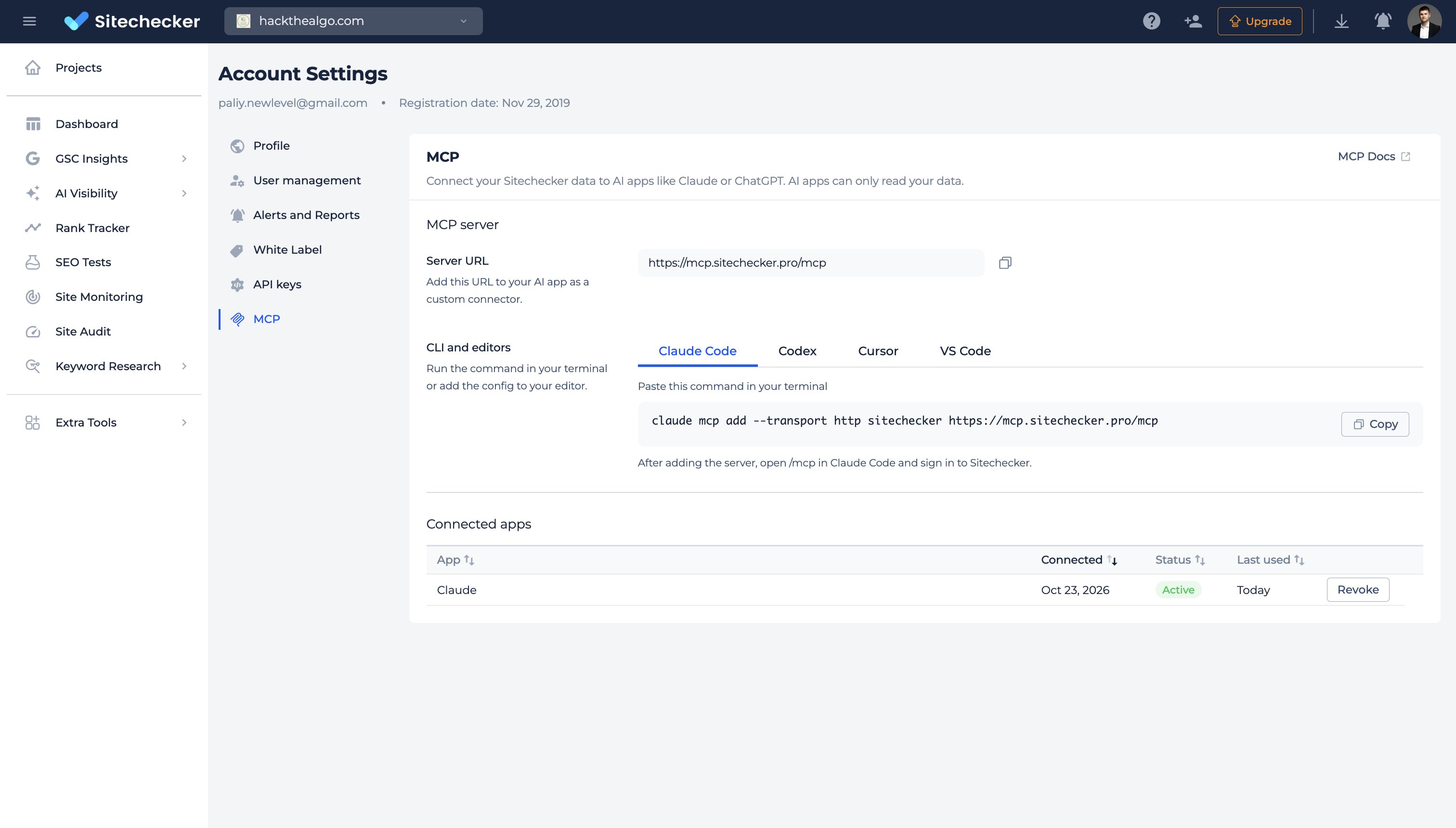
Sitechecker MCP is live. It checks GSC, GA, rankings, AI visibility & site changes. 5 reasons it beats DIY MCP setups: 1/ The numbers are correct When you connect Search Console to AI assistant directly, the AI receives only the top rows of your data. Google also hides anonymized queries. So when you ask for last month’s clicks or CTR, the AI adds up an incomplete list and gives you a number that looks right but isn’t. In Sitechecker, totals are calculated on our side, the same way the Performance report does it. The AI gets the final number and just explains it. 2/ Most of the analysis is already done We calculate page segments, keyword cannibalization, new and lost keywords, and GSC + GA4 conversions in advance. You set up segments once in Sitechecker, and they work in every chat. Without this, the AI has to pull thousands of raw rows and rebuild the same logic every time you ask, and that’s where most made-up insights come from. 3/ You get history that Google doesn’t store Search Console doesn’t record your daily rankings, whether you appeared in AI Overviews last month, which pages ChatGPT cited, or what changed on a page before traffic dropped. Sitechecker records all of this. So when a client asks why traffic fell, your AI can check what changed on the site and in the SERP during the same week. 4/ All client sites in one place If you manage 20 sites with separate MCPs, the AI has to figure out which GSC property, GA4 property and rank tracker project belong to the same client. In Sitechecker, each client is one project, with all data sources already connected to it. You just name the site. 5/ Setup takes one URL The official Google Analytics MCP needs a Google Cloud project, enabled APIs, credentials and Python on your machine. Other tools need their own API keys. With Sitechecker, you paste one server URL into Claude, ChatGPT, Cursor or Codex and sign in with your account. Want to try it for free for 2 weeks?