SpaceXSI 发布 X 订阅合并账户绑定指南
官方说明如何把 X、Grok、Cursor 账户并入新订阅,含五档价格、共享额度规则、退款与 Grok Bot 从 Premium 档起才包含。

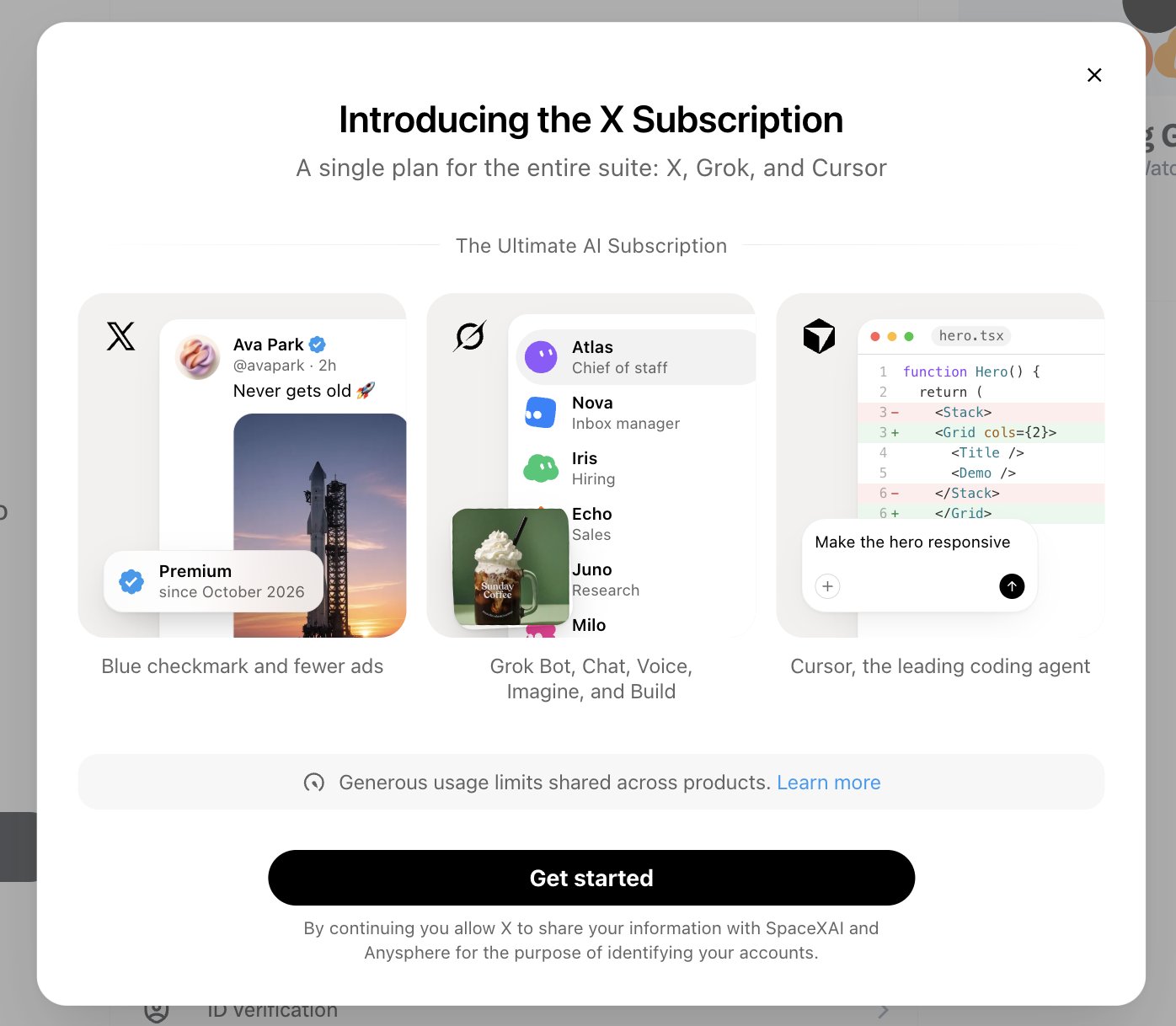
SpaceXSI has officially published a complete guide explaining how to unify your 𝕏, Grok and Cursor accounts under the new 𝕏 Subscription If you're curious about the new plans, shared usage limits, existing subscriptions, refunds or how to switch, here's everything you need to know 1. What's changing? Instead of managing separate Grok, Cursor and 𝕏 Premium subscriptions, you can bring eligible accounts together under one subscription Grok and Cursor get one unified workspace, one plan, one bill and a shared weekly SI usage pool. Connecting your personal 𝕏 account adds 𝕏 benefits based on your plan Supported products include Grok Chat, Imagine, Voice, Build, Grok Bot, Grok API and Cursor, depending on your subscription tier 2. How much does it cost? • Free: $0/month — Limited usage • Plus: $8/month — Base usage • Premium: $30/month — 4× Plus usage • Super: $100/month — 15× Plus usage • Ultra: $200/month — 50× Plus usage Discounted annual plans: • Plus: $80/year • Premium: $300/year • Super: $1,000/year • Ultra: $2,000/year Prices exclude applicable taxes 3. What happens to 𝕏 Premium? Connect your personal 𝕏 account to receive benefits under the same subscription • Free includes standard 𝕏 • Plus includes a checkmark, fewer ads and enhanced creator tools • Premium, Super and Ultra include full 𝕏 Premium+ benefits Grok Bot is included starting with Premium, NOT Plus If you currently have X Premium+, choose Premium or higher to retain those benefits after switching 4. How does the shared usage pool work? Eligible first-party Grok and Cursor activity draws from ONE weekly pool instead of separate product allowances Different activities consume different amounts, and the included usage resets every week IMPORTANT: Third-party models such as Claude Cursor are NOT included in the weekly allowance They're charged separately at API list prices from the first use, using prepaid credits If you run out of included usage, you can wait for the weekly reset or purchase additional usage credits Auto Top-up is optional, and you can set spending caps 5. Do existing subscribers have to switch? NO. Switching is completely optional If you're already subscribed to Cursor, SuperGrok or 𝕏 Premium, your existing plan, pricing and features continue unless you choose to change or cancel them 6. What happens to existing subscriptions when you switch? Eligible subscriptions included in the switch are automatically cancelled, with prorated refunds for unused time Your new billing cycle starts immediately, and refunds go separately to the original payment method But there are important exceptions: • Cursor through Apple's App Store: You must cancel manually through Apple and request any refund from Apple • Grok, Grok Bot or 𝕏 Premium through Apple's App Store: The subscription is cancelled, and Apple decides the refund • Google Play: Check your subscriptions after switching and cancel any that are still set to renew Subscriptions on accounts NOT included in the switch remain unchanged 7. How do you unify your accounts? If you're starting from Cursor: https://cursor.com/unify If you're starting from Grok: https://accounts.x.ai/unify If you're starting from 𝕏: Open your 𝕏 subscription settings and select the upgrade option IMPORTANT: Starting from 𝕏 doesn't include an existing Cursor account. If you have a paid Cursor subscription, START FROM CURSOR Choose the accounts you want to combine, review your new plan and complete checkout Your accounts do NOT need to use the same email address Existing subscribers switch through the web 8. The most important thing to know Once you complete account unification, it is PERMANENT Even Support cannot reverse it Make sure you're connecting the correct accounts before confirming Only personal 𝕏 accounts can be connected for 𝕏 benefits. Team and Enterprise accounts have separate eligibility rules After switching, you can manage your subscription, billing, weekly usage and top-ups at https://grok.com/dashboard SpaceXSI is bringing social media, AI assistants, coding, creative tools and autonomous agents under one connected subscription ecosystem The biggest change is the shared usage pool, allowing you to use supported SI products through one subscription instead of managing separate allowances One subscription, multiple SI products and one connected ecosystem Full official guide: https://docs.x.ai/x-subscription/unify-accounts
这条是引用着另一条写的:「Grok、Cursor 与 X Premium 合并为一份订阅」