Gateway Digital Services MCP connector searches domains without authentication
Gateway Digital Services offers an MCP server URL that needs no authentication, letting users search its domain portfolio and see live prices inside ChatGPT, Claude, or Grok.

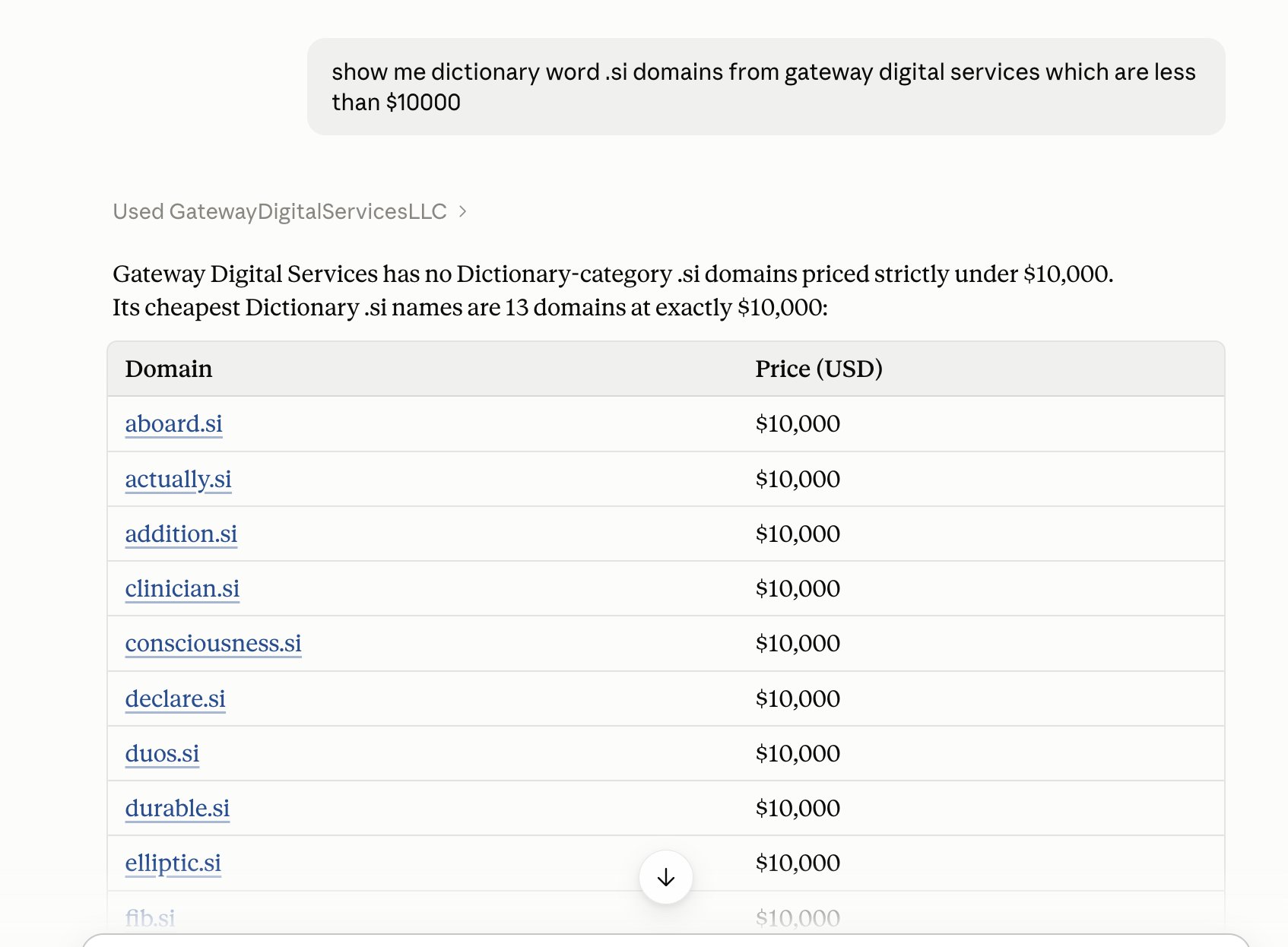
Search our domain portfolio at http://GatewayDigitalServices.co from inside your AI assistant You can now browse Gateway Digital Services’ domains straight from Claude, ChatGPT or Grok. Ask things like “show me .ai domains under $1,000” and get live prices and buy links. MCP Server URL: https://gatewaydigitalservices.co/mcp Important: No authentication is needed. When adding the connector, leave auth set to None (no OAuth, no API key). Claude 1. Go to Settings → Connectors. 2. Click Add custom connector. 3. Name it “Gateway Digital Services” and paste the URL. 4. Skip any advanced/OAuth settings. 5. Enable it in your chat from the tools menu. ChatGPT 1. Go to Settings → Connectors and turn on Developer 2. Mode under Advanced. Custom MCP connectors need a plan that supports it. 3. Click Create and add a new connector. 4. Paste the URL and set Authentication to No authentication. 5. Save, then select the connector in a new chat. Grok 1. Go to Settings → Connectors (or Tools) and add a custom MCP server. 2. Paste the URL and set auth to None. 3. Save and make sure it’s enabled for your chat. Then try: “Show me dictionary word .si domains from Gateway Digital Services under $10,000” Or If prefer to browse the old-fashioned way? Visit http://gatewaydigitalservices.co. Below is an example from Claude.