8 open-source repos that let Claude Code actually make video
The author lists eight repos, including hyperframes, Remotion and manim, that fix Claude Code's made-up numbers and guessed motion timing when producing video.

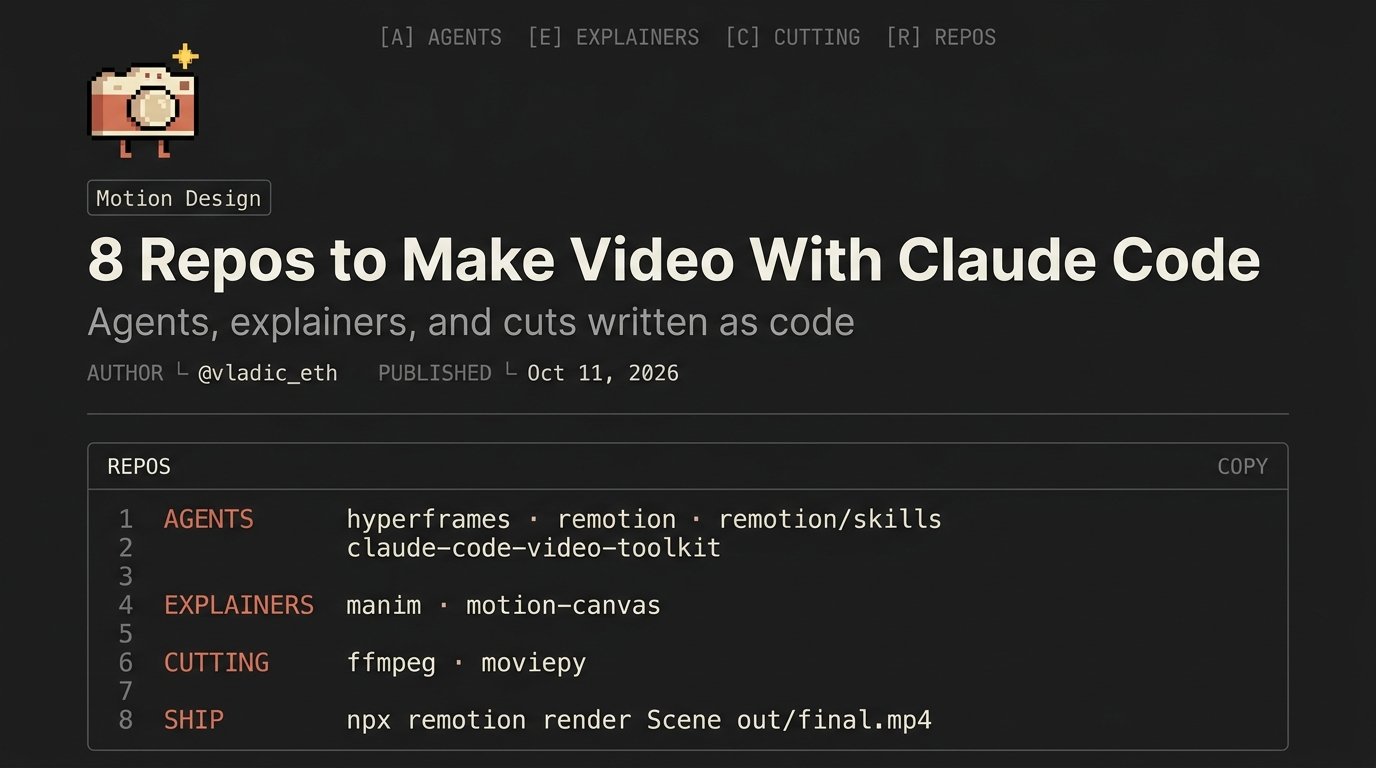
Claude Code can make video Out of the box, though, you get a generic clip with made-up numbers and motion timed by guesswork. I found 8 repos that fix this. No Claude Motion needed. How to use it: paste this post into Claude Code, pick a stack for your task, watch your first render in 5 minutes. Start with the basics. Good motion from Claude rests on three things: > a reference instead of “make it look nice” > numbers with a source > timings written as code Everything below serves those three. 1/ for agents Claude writes code, the code becomes video. hyperframes Write HTML, get an MP4. Ships a Claude Code plugin, installs in a minute. Good fit if you already think in layouts. http://github.com/heygen-com/hyperframes remotion Video in React. The biggest ecosystem: templates, components, examples for any case. Every frame lives in code, so one line fixes it. If you’re a company, read the license first. http://github.com/remotion-dev/remotion remotion skills Official skills that teach Claude the Remotion API. Without them the model mixes versions and invents methods. With them it writes like someone who read the docs. http://github.com/remotion-dev/skills claude-code-video-toolkit Script, voiceover, music and render in one workspace. For anyone who wants the whole production in one terminal. http://github.com/digitalsamba/claude-code-video-toolkit 2/ for explainers Charts, formulas, diagrams. Anything where precision matters. manim Math and diagram animations in Python. Community fork of the 3blue1brown engine. Seen their videos? Then you know what it can do. http://github.com/ManimCommunity/manim motion canvas TypeScript animations with a live preview. Change a value, see the result. For iterating with Claude this is gold: fewer renders, faster edits. http://github.com/motion-canvas/motion-canvas 3/ for cutting Final assembly, trims, subtitles. ffmpeg Trim, merge, burn subs, convert. The syntax is ugly. Claude writes it. You say what you need. http://github.com/FFmpeg/FFmpeg moviepy Edit video with a Python script. Great for batches: 50 clips with one structure in a single run. http://github.com/Zulko/moviepy One pipeline > Remotion + remotion skills: the base > LottieFiles motion-design-skill on top: handles taste > manim or motion canvas: charts inside the video > ffmpeg: final merge and export Rules that lift quality fast: > give Claude a reference video, ask it to describe pacing, text entry, payoff moment > put every number in data.json with its source > keep every timing in timing.ts > ease out-cubic, stagger 45ms, cuts on the beat > give notes in words: “title is a beat late” > ask for a one-line diff, never a rebuild The video stops looking generated. You direct, Claude executes. Save this. You’ll need it on your first video
This post quotes another post: x.com/vladic_eth/status/2108591593120756156